Spiral Knotwork Part 1

Work in Progress - Spiral 1

Work in Progress - Spiral 1

Starting a new full-page knotwork. Digital. No, I haven’t finished the last one yet. They tend to overlap like that. This is my base framework. Normally I work with right angled squares and rectangles but after that short, quick round thread I drew last night for my website, I’m itching to do something a little more curvy.

Site Redesign Part 3

Site Redesign Part 3

Site Redesign Part 3

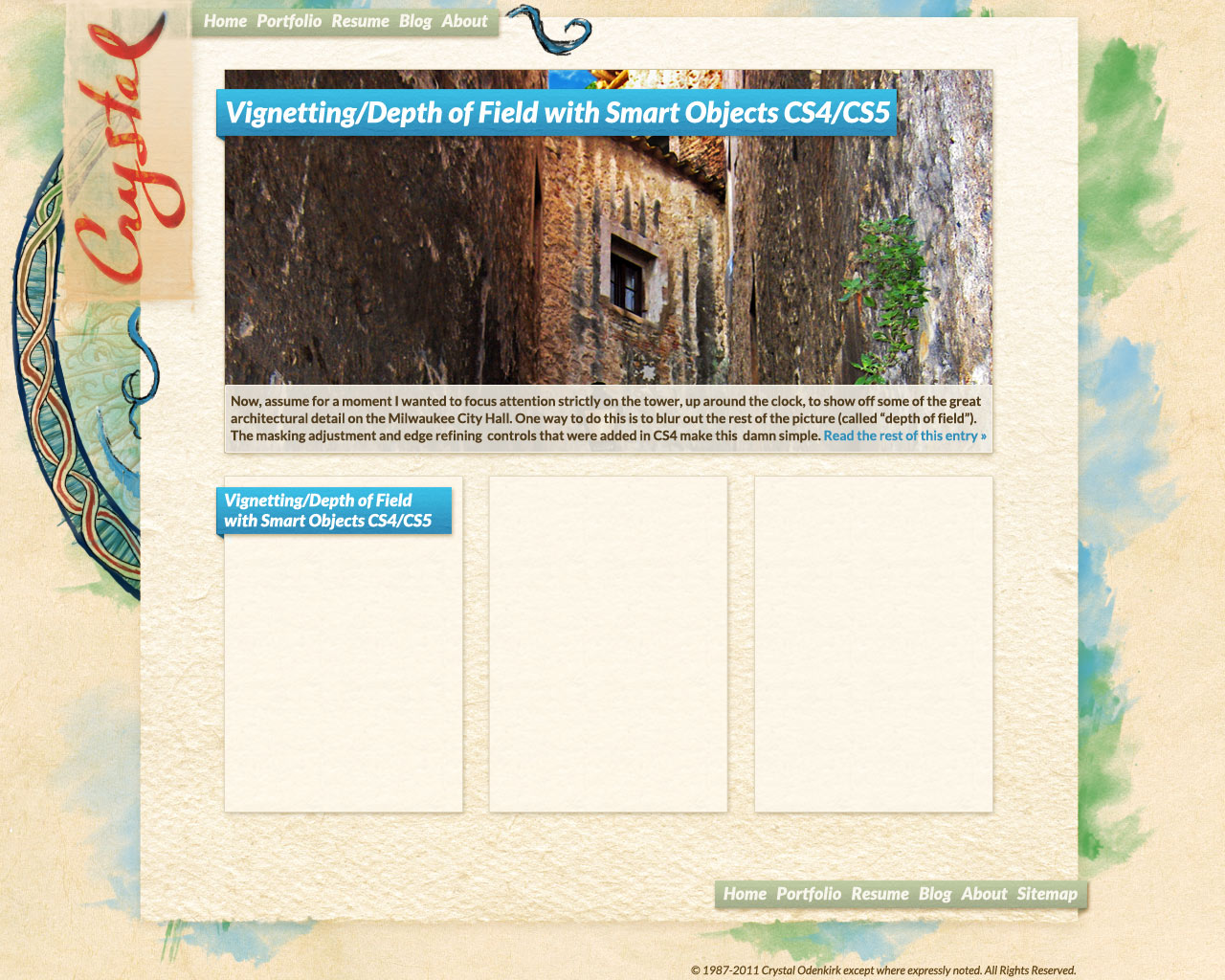
I was really happy with the watercolor and the basic idea of the design I was working on but it really didn’t feel like _me_. So out comes the Wacom. I think I like this direction better. The watercolor with paper is the base, with some knotwork and hand-drawn accents to really make it MY site instead of “generic artist-style site number 392”. Now the trick will be adding enough drawing to be balanced and personalized without adding so much (or making it so heavy) that that it detracts from the content.

Web Design is a road…

Here I am again, stuck in IE7 hell. It struck me today, while I’m sitting here hacking up my layout’s css to accommodate the vagaries of IE7, that working on a layout is a lot like driving a car. There’s a lot of things you have to learn first to keep yourself from being a hazard to other drivers, but once you get the hang of it, those things all become second nature.

Designing for the better browsers, Firefox, Safari, etc., is like driving down a mostly deserted highway in Wyoming. Fast, smooth, straight-forward, easy to find yourself doing 100mph with the radio blasting while the scenery around you flies by (not that I’d know anything about doing that *shifty look*).

Most of the time, IE8 is the same. You may occasionally have to change lanes or slow down a little, but it’s easy to see those problems coming and just build in solutions from the start.

Now imagine you are asked to plot a route across the country that involves no highways, no stop lights and no stop signs. You have one hour to plot this route. Then you must drive it. From memory.

That’s what working with Internet Explorer 7 is like.

Site Redesign Part 2

Site Redesign Part 2

Site Redesign Part 2

alright here’s where I leave it for tonight. I’m thinking my site really needs a layout overhaul and that includes a nice big “featured” article section at the top of the index. Not sure whether to make it a featured slideshow with “non-featured” articles under it or just put the three most recent articles (minus the top feature of course) under it in their own columns with just the one most recent feature article in the big photo area. Thinking three columns, which means individual article pages and the blog page will have more or less the same layout as now but with slightly different widths to comply with the columns. The main paper background is 980px wide which, once you remove the decoration and balance it so the left and right white space is the same, leaves a width of about 860px for the content…not sure if that’s too wide… most of my target audience are likely to be on higher end monitors, but I want to keep mobile in mind…

Site Redesign Part 1

Mockup 1, Crysodenkirk.com

Mockup 1, Crysodenkirk.com

Websites are hard. It’s about time to redesign my site again and this time clear out all the old code that’s hiding under the hood. Moving up to html5 and css3 but damn, the design’s the hard part. Here’s how far I’ve gotten this evening on a mockup. Long way to go before I can start putting it together in code. The background watercolor though is going to be a series of transparent layers aligned differently so each page has its own slightly different background based on how long the page is. I love the basic colors on my current site but I feel like I need something lighter and a hell of a lot more modern. The current color scheme pulls the focus away from the content because it’s so saturated, and the current layout is pretty dated too.